This is incredible. There are soooo many features that Davinci already handles so damn well when it comes to color editing, that I only wish they existed in photo editors. To the point there were people posting videos on Youtube about hacky workflows to edit RAW photo files on Resolve and export each one as JPG files haha.
Only Darktable seemed to push the technical capabilities of photo editing forward (AgX, parametric masks, tone equalizer, etc), while rest of "industry standard" software lagged behind for quite so long, stagnant. Even more so when it comes to "creative" ways of editing, which Video Editing software have adopted for years but photo editors didn't (relight, actual LUT usage without complications, film emulation, halation, other aesthetic effects like VHS film damage, etc).
There's so much we can do. To me, it seems like these sort of conservative culture (photography) vs progressive (video editing). I've been into both worlds, and for some reason video editing software and professionals were much eager to try new stuff and celebrate new ways to shape visuals, compared to photographers.
The short of it is that there’s no money in photography, compared to videography.
Movies routinely have 8 or 9 digit budgets, with teams of hundreds of people who have to collaborate to make footage coming from dozens of different cameras look seamless and consistent. Meanwhile, $1M would be an insane budget for a photo shoot.
You can see this in the actual skills of people working in the field as well. Anyone working in video has a solid understanding of the technical underpinnings of their craft. On the other hand, it’s not uncommon for working photographers to not understand some really basic stuff about color science/data formats/etc.
Fundamental misunderstanding of the market dynamics here.
There are at least an order of magnitude more people making a professional salary as photographers (ie.: enough to justify a software purchase) than professional videographers.
Outside of film, videographers are generally paid a day rate about half as high as photographers, with enormously higher equipment costs.
Film - hollywood, streaming, TV etc, combined actually employ a relatively small number of people. Sure there's enormously more budget for any given TV show than say a wedding photoshoot, but think about how many people get married, how many corporate photo sessions there are etc etc.
Basically by conflating videography and cinematography you've obscured the issue. Source - I'm a videographer that also works as a cinematographer / director on smaller budget projects.
Also on anything bigger than a very low budget short, it's editors and post people who are using the editing software not the videographers / camera operators / DOP. Bare in mind DaVinci does not own the film industry. It's very much still Avid's game, with Nuke for colour, and a small percentage of Adobe Suite.
THe cinema industry is much smaller than photography, but the dialogue between companies and customers is much much richer in VFX.
Autodesk, foundry and Avid all have site licenses with their big players, and the product owners/managers will be on site talking to users to see what bugs/features are needed.
More over a lot of the big companies that buy this software also have their own R&D departments. So there is much cross pollination.
Also people will come to blackmagic and foundry with problems and ask for help (Ie rolling shutter reduction, anti-noise, optical flow, copy grade, etc etc)
As a semi-pro photographer I look at the $295 pricing and think that is a very reasonable price for something that could help my photos look like my photos. I bought DxO PhotoLab for $235 and color grade with it all the time. Right now I use LUTs that other people made and have been thinking I’d like to learn to be more systematic and make my own.
I don’t really do video but I have in the past so a video editor coming in a box sweetens the deal in the same sense that Adobe CC comes with, say, Premiere, which I use just occasionally. I can totally shoot video with my Sony and there is definitely a lot of demand for it on the internet these days. I also know Divinchi resolve is a product that many people in film/video are enthusiastic for and that counts too.
The amazing thing about Resolve is that the free version is almost certainly enough for > 95% of use cases. The features that are locked behind the Studio upgrade are truly pro features - in that you won’t need them at all unless you are delivering for a proper studio or professional project. The amount of firepower you get from the free version is easily at parity with any comparable product from Adobe/Apple - and in many cases blows them out of the water… for free.
100% agree. Photo is a much muuuch bigger market.
Counterpoint most of the Movies budgets is usualy spent on the actors and on the filming. Not on the editing team. There is also copious amounts of money in photography Alot of advertising is still static images and print.
Yes, but if the budget of the whole thing is high(er) they don't tend to cheap out on details that could mske or break it.
Or phrased differently: If your shoot codts a million a day it doesn't matter if your camera costs 400 bucks a day or 40. In fact they may ask you whether you really wanna go with the 40-buck camera.
But there's a couple orders of magnitude more photo shoots than movies and since once you write software once, you can copy it for free, investing in creating photo editing software still makes sense.
> Meanwhile, $1M would be an insane budget for a photo shoot.
Photo shoots for automotive advertising regularly are around that pricepoint.
those big productions are production design and above the line heavy. Most people on shoots are paid well. However, if you look at the other side of the coin, hardware and software supporting the industry, it's actually "laughable". ARRI which is the biggest name in the game on shoots is ~$1b, RED was sold of for $85m, BMD could fetch as high as $3b, Autodesk's Media & Entertainment is <%5 of its revenue which would, if it were standalone, also bring it to around $1b valuation. Avid the same at ~$1.5, Grass Valley the same ~$1b-1.5, Sony's ET&S is hard to gauge since it includes everything, but an estimate is ~$1.5b, Maxon ~$1.5, all of Nikon $4b, Canon's camera division ~$15b...
and then you have Adobe which has ~%65 of its revenue coming from Creative segment ($14-15b over $23.77 for 2025), which would put it at ~$70b - $100b valuation if it were standalone (5x-7x revenue).
That's how big Adobe is compared to literally everything else. Its creative division is 3x-4x more than the entire industry combined.
You do have new contenders now with Epic (~$22b), Canva ($26b), Figma ($20b), but I'm not convinced.. in certain segments for sure, but still not confident based on stock performance or revenue.
Adobe may be a big dog but it hasn’t insulated them from black magic eating more and more of their NLE market share with every passing year. BMD went from making a (niche for everyone else) Hollywood color tool to a full blown NLE with almost 20% of the market share in less than a decade. Not to mention a very respectable camera line.
I remember hearing the phrase “round tripping through resolve” for years as some sort of magical incantation only somebody in post production understood. Now resolve is fighting for Lightroom’s space within a full NLE. That’s something!
> Only Darktable seemed to push the technical capabilities of photo editing forward (AgX, parametric masks, tone equalizer, etc)
As a casual photographer, I wanted to love darktable and I'm sure it's extremely capable. But the UI is just so hard to get to grips with. I've put a few hours into it, tried following some tutorials etc. but I have no idea what I'm doing there.
I do have a fairly decent grasp of color science from working in 3d graphics so it's not that I'm lacking there. I guess it's like blender of yore. It could become mainstream but it would require a full UI overhaul and in the meantime it's for experts only, or determined people with a lot more time on their hands than I have.
There is even Darktable fork Ansel where they try to roll back lot of these ux mishaps.
Once you care only about editing and not cataloging then RawTherapee ends up being better editor for mr.
> There is even Darktable fork Ansel where they try to roll back lot of these ux mishaps.
AFAIK, the reasons Ansel exists are:
1. To yank out darktable internals for code purity reasons.
2. Its (talented) developer worked better by himself than in group.
He was vehemently opposed to any idea containing the words "intuitive" or "UX".
Yeah, the UI in darktable is not good enough to go through a large shoot. When I've tried to use it I always end up doing all my selection in PhotoMechanic and then in darktable I just do editing. But even that UI/UX is terrible.
The Blender metaphor is spot on. I am a software engineer, I spent 2 years living in 3ds max in my teens, writing tutorials for it, and I am unable to make a basic scene in Blender, it’s like alien made software.
The GP refered to "blender of yore". Blender went through major UI overhauls and recent versions are very intuitive.
Something can be intuitive to new users and yet a complete mystery to a pro experienced with a different UI paradigm.
Still, Blender and 3ds Max are pretty much on two different ends of some spectrum, not sure which yet, but they seems to more or less follow two very different axioms when it comes to UI and UX philosophy. I've spent most of my 3D-ing time in 3ds Max, but Blender is more intuitive to me, but I also know others in the same position favoring 3ds Max.
This was always absolutely inexplicable to me. A lot of photographers are just resistant to better color tools (as in, actively arguing against them!) or are in deep denial about their existence. Photography is well behind videography in that regard.
Having done professional design work, photography, video editing, 3D animation, yada, yada, yada: I can’t think of a time where I’ve been unable to achieve my color goals in still photography with PS’s or Lightroom’s tools. For people to bother learning new professional tools, there needs to be a more concrete reason than ’but this is one is technically better.’ For hobbyists that are really into the tech? Sure. For professionals that need real precision and consistency— e.g product photographers shooting a lot of stuff with precisely defined brand colors, wedding photographers whose photos will frequently be looked at in series, or something? Sure. For most, the ROI on the time spent just isn’t there. The use case for more precise and consistent color grading in movies or other professional video is obvious— when all the frames are there sitting next to each other, and subtle color changes can so drastically affect the mood of the piece on a while because it’s so immersive. But most professional images are seen in specific contexts with other elements, often through unpredictable media… those tools just aren’t as useful there. And they’re also more complicated — simplicity is a huge boon for efficiency, and efficiency is really important for professional work.
I teach design and art and routinely supervise photo projects. The low level of expectation that even the best students have of color editing amazes me. Few can think further than brightness/contrast adjustments. Lightroom is seen as the pinnacle yet its hue tools are beyond dreadful. The hue curves in DaVinci are pretty much the only act in town for sophisticated hue adjustments.
I think this has been imprinted in the photographer world due to long-standing requirements from AP, Reuters, etc. on avoiding post-processing. Video has never had these constraints; post-processing is required to publish the works.
That’s interesting - how do they define that? Surely they don’t publish raw rgb?
Reuters banned photos processed from RAW over 10y ago. They will only accept JPEGs from the camera.
https://signalprocessingsociety.org/community-involvement/in...
AP has had these rules since the late 90s:
"Only the established norms of standard photo printing methods such as burning, dodging, black-and-white toning and cropping are acceptable. Retouching is limited to removal of normal scratches and dust spots."
https://niemanreports.org/aps-policy-banning-photo-manipulat...
As mentioned it's impossible to get "unretouched digital photos" because the camera itself does post-processing - but there were some spicy scandals that arguably were somewhere in the gray area between "move a damn pyramid" and "applying normal lighting techniques" that they resolved with "just use JPEG from the camera".
Of course, we now know that "JPEG from the camera" can be complete bollocks, so it's going to get worse.
https://www.bronxdoc.org/bronx-documentary-center/exhibits/a...
https://old.reddit.com/r/Android/comments/11nzrb0/samsung_sp...
Darktable is great, but notably, it doesn't have any neural network-based denoising, even though that's now standard in Lightroom, Capture One, and other apps. Darktable only has rather outdated wavelet and non-local means denoising. So a photo that would be perfectly fine at ISO 6400 in other apps will still look grainy, or worse, splotchy in Darktable.
To give DarkTable credit, neural-network-based denoising will be in the next major release (5.6).
And even without neural networks, DarkTable denoising is better than open-source competitors, due to the database of camera sensor noise shipped with it. For each supported camera and ISO setting, it contains the measured values of Poissonian and Gaussian components of the sensor noise, so proper denoising becomes a one-click operation. That's as opposed to the much more complicated "drag the luminance and chrominance noise sliders until the noise disappears, then drag two more sliders to recover detail" workflow found, e.g., in ART.
Darktable has a "neural restore" algorithm [0] in the development version (intended for midsummer release). Note:
- It appears to be an out-of-band pre-processing stage (run the image through denoise to produce an intermediary TIFF), unlike most other parts of the program.
- All AI features are gated behind compile-time flags which default to off.
As a professional photographer and mostly stills editor I am really excited to get to learn more advanced colour editing using this software, already using it for some video at a novice level. Thankfully I don't get much video work to do but learning the skills on stills is going to really improve my skills in motion. - I'll wait for the reviews but really looking forward to cancelling my adobe sub.
Ironically it works very well to edit a photo in a compositing program which black magic also gives away for free in digital fusion. People just don't know about it or how to use it.
> handles so damn well when it comes to color editing
I know it sounds shocking to criticise the color editing capabilities of a dedicated colorist tool, but...
Resolve only got HDR output support on Windows recently! Up to version 18 or 19 it output gibberish that only specialised (super expensive) monitors could display. So you could have a HDR OLED 4K monitor and you'd get a washed out mess unless you also spent a ton of money on SDI cards for no good reason.
Sure, they fixed that now, but the pedigree of "we're a hardware company first, software company second" remains. They're not a photo editing company and have no idea what makes Lightroom "the" industry standard.
> conservative culture (photography) vs progressive (video editing)
I've found the exact opposite to be true!
Lightroom has used "scene referred" (correct) color management since forever. 32-bit float ultra-wide-gamut HDR throughout. This is a "new" feature in Resolve! [1]
Similarly, I just tried Resolve 21 photo export and it exports... SDR. Probably in sRGB, who knows? Appears to be totally uncalibrated.
Meanwhile Lightroom can export 16-bit PNGs, wide-gamut, true HDR, HDR gain maps, JPEG XL, etc, etc.
Resolve is way behind on the basics.
[1] There are excuses for this, mostly to do with performance when editing real-time footage vs a still image.
I tried Resolve just now for Photos, and I'm not impressed.
The Sony RAW file rendered terrible compared to Lightroom.
I found the interface unintuitive and did not even manage to locate the much praised Color grading features. That tab opens with a Video view.
This needs some work to compete with Lightroom for Photos - I see that it's Beta 1, just saying.
I guarantee that it won't improve significantly even after several major releases.
Resolve is designed to be controlled with their "panels", which have lots of dials and knobs to turn.
The software only interface is clunky at best, and they steadfastly refuse to fix basic usability issues lest that undermine the justification for buying their hardware.
For example, cropping and rotating media in Lightroom is a totally different experience compared to Resolve (photo or video, they're both bad!).
Lightroom lets you fine-adjust sliders by pressing shift so that instead of rotating an image by HUGE AMOUNTS BACK AND FORTH you can easily remove a 0.4% tilt without having to type in the numbers into an "angle" text input box like a savage.
Lightroom's crop and rotate controls do a "constrained crop" by default so that you don't get black wedges in the corners of the image. When the background is already mostly (but not perfectly) black, this can be infuriating to fix in Resolve by alternatively rotating, cropping (numerically!), rotating, cropping etc...
While I'm complaining about Resolve issues, it gets the color temperature scale wrong, as per this video, to the point where I find it nearly unusable: https://www.youtube.com/watch?v=WADuXiMZxq4
I know you have a whole narrative going but there's gotta be millions of "make my picture look analog" filters, that was the whole premise of Instagram, you can get specific effects for pictures to look like all kinds of specific cameras, so mentioning VHS like esthetics as something that doesn't exist is very strange.
An instagram filter is to a 3D lut as a PB&J sandwich is to a Michelin star meal...
Let alone the other things listed.
I'm saying the things mentioned exist and gave example of one of the most popular consumer applications in the whole world already offering an entry level version of the same feature. Since that's what most people know about.
You have all those features already in professional photo software already as well. DaVinci is cool but it doesn't unlock anything like "make my photo look like VHS" that hasn't existed for decades by now.
Is there even a working definition of what a "filter" is in Instagram, or mobile photo editors targetting social media users (which is approximately all of the mobile photo editors), beyond "a script that fucks up your photo in some trivial but also undocumented ways"?
I'm yet to see a filter that makes your photo look like taken from a specific camera (old or otherwise). Smearing colors and sticking a frame that imitates camera film border does not count.
But that was a fad with the purpose of tentatively hiding the poor quality of the photos taken using smartphones of that era.
Nowadays default filtering is that everybody crank saturation and vibrance way too high so that it looks good when looked on a small screen full of fingerprints and a scratched screen protectors, under the sunlight. Same way music is dynamically overcompressed because the baseline is it need to still sound half decent on hostile noisy environments with crappy speakers/headphone.
Photoshop can do anything that you mentioned for many years now.
I wish using Darkroom more, but it is terrible in defaults. It's one of those software that is developed by enthusiastic programmers but ignore actual needs of photographers. You don't need tons of demosaic algorithms but none reliable selection tool.
Photoshop itself, without ACR, is light years behind in color processing. It's a dinosaur at this point. It had only one remotely competent grading plugin (Firegrade), but it seems abandoned.
Name some color process that cannot be done in PS. I'm recommending PS for color grading to be precise.
You can do anything in a hex editor. The question is how convenient it is.
Beside Adobe terms of use and implemented spyware, their software is convenient enough to justify monopoly on market.
Sure, editing via prompts or personalised automated actions would be ultimate convenience, but we are not here yet. Day by day software like those from Adobe or BlackMagic will be obsolete.
I wish they (authors of DaVinci Resolve and the Photo Editor) paid more attention to Linux platform. Theoretically DaVinci Resolve runs on Linux, but getting it run is a very bad experience on Ubuntu/Kubuntu 24.04. I even paid for the DaVinci license, as I read somewhere that for Linux it's necessary in order to have all codecs supported. It did not help. Fortunately there were no problems with refund.
There are whole guides online how to walk around these issues and even then I could not get the audio working. Somehow it relies on some old ALSA API, which is no longer maintained/supported on Ubuntu/Kubuntu, or I'm just too stupid to make it work. AI assistants could not provide working solution for me either.
I've moved back to Linux a year ago after around 10 years of Windows (and I used to use Linux Slackware for ~15 years beforehand). I am amazed how big progress the KDE made and whole Linux ecosystem. Gaming these days is just as easy as on Windows, which was my primary reason to switch to Windows. My printer just works now. Even music production is excellent on Linux now. There is plenty of great software options to choose from and they just work - as I would expect from the mature ecosystem.
This all feels so good, given how Linux is not pushing trash into my computer (OS-bound spyware/bloatware), has excellent, customizable UI. Full freedom. I do feel that I own my hardware.
Yet I miss DaVinci Resolve. For now I use Kdenlive, which is nice for simple editing, but feels unfinished, or I just don't know how to use it correctly.
I recently used Resolve (just the free version) for a project. It was my first time seriously using the software but I ended up spending a lot of time with it - lots of timeline editing, keyframe animation, some simple Fusion compositions, and a fair bit of work in the Fairlight page, rendering out daily . I did all this on my beloved Arch Linux workstation, and frankly it was rock solid, apart from exactly one crash when using the timeline keyframe editor - something that was solved by upgrading Resolve to the latest version.
I was really impressed by how well it worked for me on Linux.
I think these things might have helped:
- I use an X11 desktop (Cinnamon), not Wayland. I've tried it out on a GNOME Wayland desktop but it seemed quite a bit more clunky and froze frequently.
- PipeWire runs the system's audio routing, so Resolve just appears as another ALSA client, and I can then use wiremix to send to my preferred speakers or headphones. (I haven't tried any audio input yet)
- I didn't try to install Resolve natively, I used davincibox [1] to install and update it within a container (it uses distrobox, which then uses podman).
I'll now be purchasing the studio version, which hopefully will work as well.
You encouraged me to try again and somehow, blackmagically ;) it works this time. It may be that recent DaVinci version has made some improvement. I'm so happy!
Installation still requires workarounds and codecs support is limited, but having that aknowledged and accepted, the application is finally usable!
PS. I don't know where the h264 (and other codes?) limitation come from, since ffmpeg has full support of it. Or is it just business model? Weird.
Great to hear!
I would guess the codec limitation might come from licensing requirements, as BMD would need to pay for h264/h265 licenses for Linux, and that can't really be sustainable for a free product. MacOS and Windows already come with licensed system codecs.
My project had ProRes source media, so there was no codec issue and everything worked very smoothly. I exported ProRes and used ffmpeg to transcode to whatever I needed.
I don't think I would have bothered trying to run Resolve on Linux were it not for finding that davincibox script. It was incredibly straightforward to install, and now I just start it by clicking on an icon like a regular application.
Have fun!
For those seeking quick solution for missing codecs, here are bash scripts that use ffmpeg to convert any input clips (including these problematic h.265/h.264) to format acceptable for DaVinci
  #!/usr/bin/env bash

  set -euo pipefail

  INPUT_DIR="${1:-}"
  TARGET_FPS="${2:-30}"

  if [[ -z "$INPUT_DIR" ]]; then
      echo "Usage: $0 <directory with clips> [target fps (defaults to 30)]"
      exit 1
  fi

  if [[ ! -d "$INPUT_DIR" ]]; then
      echo "Error: directory does not exist: $INPUT_DIR"
      exit 1
  fi

  OUTPUT_DIR="$INPUT_DIR/conv"
  mkdir -p "$OUTPUT_DIR"

  EXTENSIONS=(
      mp4 avi wmv mpg mpeg mov
      mkv m4v flv webm ts mts m2ts 3gp
  )

  shopt -s nullglob nocaseglob

  for ext in "${EXTENSIONS[@]}"; do
      for file in "$INPUT_DIR"/*."$ext"; do
          filename="$(basename "$file")"
          name="${filename%.*}"

          output="$OUTPUT_DIR/${name}.mov"

          echo "Konwersja: $file -> $output"

          ffmpeg -y -i "$file" \
              -map 0:v:0 -map "0:a?" \
              -vf "fps=${TARGET_FPS}" \
              -vsync cfr \
              -c:v prores_ks -profile:v 1 \
              -pix_fmt yuv422p \
              -c:a pcm_s16le -ar 48000 \
              "$output"
      done
  done

  echo "Results in: $OUTPUT_DIR"
  #!/usr/bin/env bash
  set -euo pipefail

  INPUT="${1:-}"
  CRF="${2:-21}"
  PRESET="${3:-slow}"

  if [[ -z "$INPUT" ]]; then
      echo "Usage: $0 <input file> [crf=21] [preset=slow]"
      exit 1
  fi

  if [[ ! -f "$INPUT" ]]; then
      echo "Error: file does not exist: $INPUT"
      exit 1
  fi

  DIR="$(dirname "$INPUT")"
  FILE="$(basename "$INPUT")"
  NAME="${FILE%.*}"

  OUTPUT="$DIR/${NAME}_h265.mp4"

  ffmpeg -y -i "$INPUT" \
    -map 0:v:0 -map '0:a?' \
    -c:v libx265 \
    -preset "$PRESET" \
    -crf "$CRF" \
    -pix_fmt yuv420p \
    -tag:v hvc1 \
    -c:a aac \
    -b:a 192k \
    -movflags +faststart \
    "$OUTPUT"

echo "Ready: $OUTPUT"I use Resolve (paid) all the time on Arch with Gnome+Mutter+Wayland, works completely alright for me, except when it comes to anything generating 3D in Fusion, for some reason. Mostly use it for quick cutting and also audio mastering.
Got my license when I bought a second hand Blackmagic camera, must have been 5-6 major Resolve versions ago, and it still works as a charm! They're a rare star among a sea of trash in the software and (arguably bit less trash) hardware world.
Autodesk have been the same with Maya on Linux. The 2027 version has just been released, and it still doesn't have full Wayland support. The VFX Reference platform doesn't mandate Wayland support. And strangely enough, Maya versions prior to 2025 work perfectly fine on Wayland (they migrated to Qt 6 with 2025)
Yeah, sucks that VFX Reference can't just ensure broader Wayland support, would be amazing, but they/it tend to be very conservative, for good reasons too.
To be fair, most studios seems to still be using CentOS 7 and Rocky 8, latest Ubuntu version tend to be 20.xx, all of them relatively old from like 2020s sometime.
Wonder what really stops them to have an agent dig for a night, and have this compatibility in place. Even if it means them say - this is very unstable, use with caution.
I got it working with the help of Gemini, here's my chat if you want to try again <https://gemini.google.com/share/50fa089e2f2c>
Thanks, but as far as I read it, it's all about the library file names mismatch, which is mostly covered by guides I mentioned earlier. I've done that and I got my DaVinci running. It was just audio output that did not work, despite hours spent on trying to get it work.
I'm not sure how much this will help you, but it should work for Linux Mint, which is based on Ubuntu, so it probably works for Ubuntu as well https://www.virtualcuriosities.com/articles/1784/how-to-inst...
Exactly my thought. On Windows I used the free version for casual video editing and making memes. On Linux it just doesn't work. I managed to somehow fix the audio problem, then it had issues with codecs, and in general it was very miserable experience.
This is uncanny. Just yesterday, I was complaining about the state of photo editing software (Adobe and Google are no-gos, and Darkroom provided a thousand thorns). I wished that DaVinci had a photo editor, because I had similar pains about video editing that were resolved when I learned about DaVinci.
AND it runs on Linux!
It's not every night you make a wish and wake up to find out it has come true.
It took me a damn long time to find this information, so I'm pasting it here:
> It includes native RAW support for Canon, Fujifilm, Nikon, Sony and even iPhone ProRAW.
I looked all over for a more technical page that just lists these kind of specs in bullet-point form, but apparently they refuse to communicate information about their product in this way? The "Tech Specs" page only seems to show information about hardware products. /shrug
Would be cool to have something I can use to edit my Fujifilm-shot photos without any sort of subscription. Capture One Express (or whatever it's called now) is super light on features, but processes Fujifilm .RAF's very well (oh, or it used to, apparently it's permanently discontinued now, great). I'd love to use Lightroom but I refuse to pay for a subscription to use software, so... options are limited :\
Been said, but you can outright buy Capture One with no subscription. I am a fuji shooter and have been using C1 in this way for quite a while now.
Capture One express Fujifilm was discontinued and folded in into the regular Capture One. The out of box processing of raf is still top notch (at least for my x-t3). There's a subscription-less option.
I have a Lumix camera which doesn't have support for Raw files but apparently you can just use the free Adobe DNG converter and it works well. It should work for your Fuji Raws too.
I thought the same when I got a Fuji, but the issue is support for the X-Trans sensor. Turns out that converting to DNG doesn't change that and software that opens the DNG still needs to understand how to use the data in it.
DxO PhotoLab supports RAFs these days, and does not have a subscription model. They have black friday sales, if the RRP seems a bit much.
I've just installed DaVinci and pointed it at my photos from this year and so far it's been frozen for 8 minutes, not initially confidence inspiring.
What platform, what storage and how large is the directory? Might be a difference in experience for people on Windows trying to open N-TB over a NFS share compared to Linux N-GB locally.
> It includes native RAW support for Canon, Fujifilm, Nikon, Sony and even iPhone ProRAW.
I guess everyone forgot that Pentax still exists.
Pentax sensibly decided to add native DNG capability a long time ago, the raw files work everywhere I've tried them.
(Except DaVinci, which I couldn't get to do anything without freezing for minutes at a time this morning.)
Erf, I do hope they add support soon !
Have you tried Affinity Photo?
Affinity is great for editing but doesn't do the library management stuff that Capture One/Lightroom etc do.
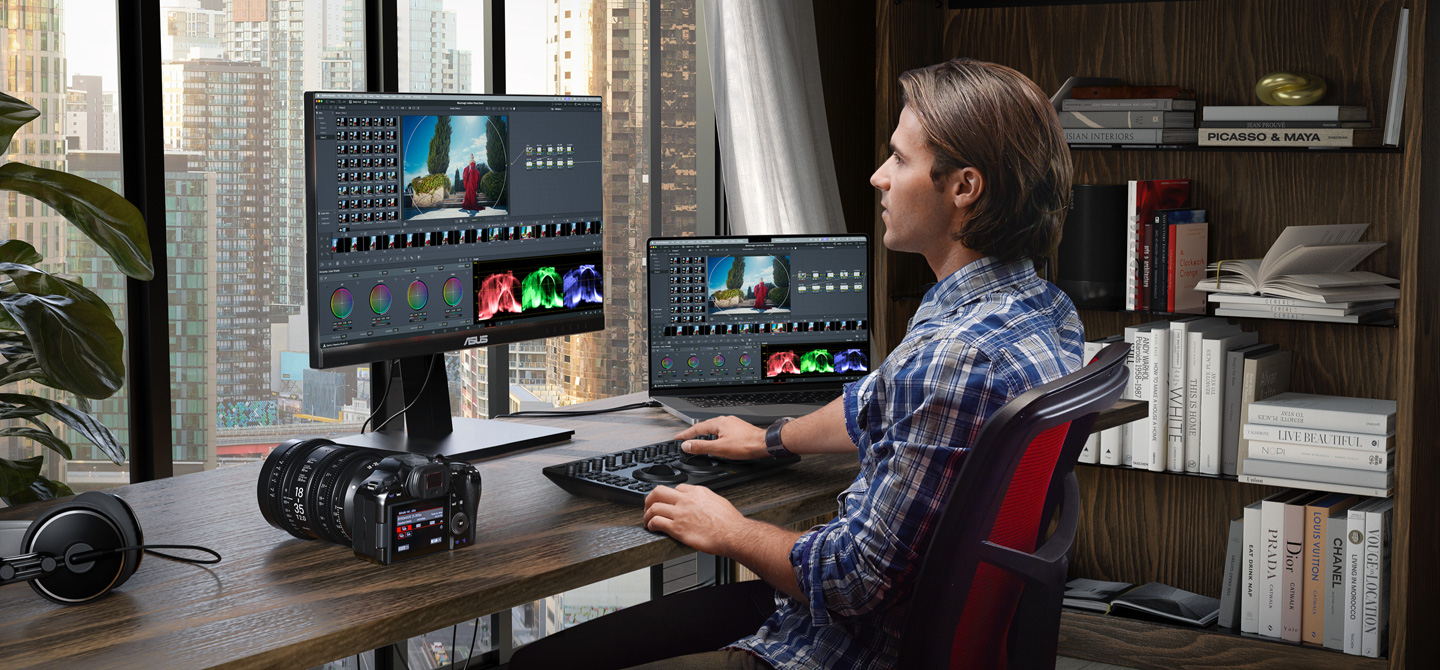
Complete tangent, what is going on with this image [1]? Render? AI? Too much post-processing? It has some computer game graphics look to me, but I can not quite put the finger on what seems off.
[1] https://images.blackmagicdesign.com/images/products/davincir...
The camera and headphones are composited in, pretty sure the skyline is shopped in as well (the shadows on the desk should be much harsher given the bright sky), same with what's on screen. The displays being mirrored for no reason doesn't exactly help sell the reality of it either.
The bookshelf is looking sus too.
For years now all their images have this look, everything sharp at all distances. I enjoy it because it goes against the shallow depth of field trend that has been dominant, it’s refreshing. I think they achieve it by focus stacking, compositing multiple images focused at different distances.
Oh, neat! Wachowski 'Speed Racer' but as its own aesthetic.
I’m not sure if it’s AI so much as a composition of dozens of images stacked on top of each other. The shadows of different objects seem to be going in different directions.
That lens (Sigma Cine 18-35/F2) is a big lens, but it looks almost too big there, like it was composited in, or the perspective is somehow strange.
Looks like a rendered scene yes
Ridiculously engineered studio lighting and HDR, I would suppose. Stuff can start looking very artificial when you start bringing in good equipment.
We may be witnessing a fascinating trend : AI images are making professional-grade imagery look like spam, and natural lighting and blurry images are becoming the new "human" esthetic.
Softbox lighting and it looks off because obviously no one lights their work desk like they would for a professional photo shoot.
This was bound to happen. I've edited stills in Resolve for years thinking this day would come. Resolve has supported DNG raw files (as long as they're not converted from funky sensors such as Fujifilm X-trans). But, it was always a bit of a hack.
Kind of stoked to see this release even though I've transitioned to a 100% open source photo workflow on Linux now.
IMO, most exciting developments in photo editing today happens in open source. But this is really something.
What is your Linux photo editing software of choice?
darktable[1] and Spektrafilm[2].
Damn, there really are no original ideas anymore. I have been working on essentially the exact thing that Spektrafilm is doing. I'll check that out to see how I can improve my setup.
How do they actual make money? I've been using Resolve for years without paying for it (and without thinking about its business model too much). It seems that they sell quite expensive professional hardware so I assume the software users are just compensated by hardware users?
I used to work at Blackmagic, wrote some of the peripheral code around BRAW and did some work with the Resolve guys up in Singapore.
Used to have lunch regularly with one of the owners too. Need to check in with him again!
At least back in 2019, BMD made a lot of money selling professional licences for DaVinci Resolve. I don't know exact figures but that part of the business was healthily profitable of its own accord. Very, very healthily profitable!
Most parts of the business were profitable standalone, AFAIK. Their model didn't revolve around loss leaders, burning VC money or anything like that; just selling good products at fair prices and making bank.
I think a big part of it was a fairly lean culture (whole company was bootstrapped and grown sustainably), and specifically in the case of DaVinci they bought out an existing business that had already done a lot of the development and marketing work for absolute peanuts.
Very smart team doing good work.
I'm just a satisfied customer (Resolve and hardware), but it probably helps that it's a private company run by a cofounder CEO that seems to both understand and care about the company, its products, and their market.
From an outside perspective, "selling good products at fair prices and making bank" sounds about right for the hardware, but I always assumed the Resolve software itself was, if not a loss loss-leader, also not a major profit center.
Then again, there's something to be said for volume, especially in a market that includes lots of independent operators and dedicated amateurs worldwide who are willing to spend what good money they have on their craft.
Were you there when BM produced the macOS compatible eGPU units in collaboration with Apple?
Yep, I don't remember a whole lot about them though.
(Actually, anyone else from BMD here? Was that the product that the Industrial Designers won second place in the design awards for, losing out to the accessible playground?)
I didn't work at BMD but worked for a cine distributor supplying lenses to be tested. But yes, lean clean company that works well.
I’m an avid user of Fairlight for almost a decade now. The accelerator card has an interesting history (as does Fairlight).
Do you have a link to learn more about that history?
Hardware. It's like the Apple model (before they got into services). They sell a full suite of hardware that works great with their software, and they see the software as a way to keep good will, and also showcase their tech well.
They also sell a paid version, if you want a few extra features.
Their hardware is deeply reliable, affordable, and you can see that they have super solid software chops.
I made the unconventional choice of using a Blackmagic Micro Studio 4K camera for a robotic application and it turned out to be a not crazy choice - we get our choice of lenses and they have controllable focus and zoom, there's a REST API for the camera (which can connect to Ethernet), etc. To speak nothing of the crisp image. And that I can pick one up in 30 minutes at B&H (in NYC).
Industrial vision cameras can cost ~the same but you'll want to rip your hair out before you get to grab an image (or change the focus - sorry, that's mostly never possible).
Huge, huge fan of Blackmagic. The rock-solid free editing software is just cherry on top.
Interesting! How is the latency of this camera?
I can check tomorrow to give you a real answer.
We use the SDI output (that cable is sturdy and the bnc lock connector is rock solid) and a Blackmagic 12G SDI to HDMI converter, and then an El Gato HDMI capture card.
Intuitively, I’d say most of the delay is coming from the HDMI capture side (it’s a pretty cheap usb dongle).
Yep, I was at a broadcaster when we bought a whole pack of their SDI capture cards... the only ones on the market really (everyone else wanted to sell you massively expensive enterprise "appliances") for a very affordable price (I believe they were like 500$ a piece for 4 SDI inputs?).
Also they were first to sell us USB3 based HDMI capture devices that we could take around and do live capture from cameras at full HD for also a pretty affordable price (around 1000$?).
Whenever we needed affordable (semi) professional gear, they were consistently the ones to look at.
> They also sell a paid version, if you want a few extra features.
And the great thing about the paid version is that updates are (so far) free with no subscription bs.
I paid for it once like 10 years ago and still get every new version for free.
And from what I remembered, it wasn't a too expensive license, a few hundreds?
Couple hundred, or free with the cameras.
If you scroll down to the bottom of the linked page, there is a lot of pricing shown for various things. It looks like it gets expensive fast.
That and I imagine the overwhelming majority of professional users pay for the Studio license. It has a few quality of life things that are a total no-brainer when you use it to make money and/or are paying the person using it.
so you only export to 1080p? I pay for it, albiet the $300~ price point is still low for forever free updates
GPU hardware accelerated encoding/decoding is only in the paid version as well.
Although MacOS users get this on the free version if they are using M-series chips
And they paywalled the ability to install the foss reactor plugin.
The free version can now export 4k too as of a few versions ago.
Premium features in the paid software as well
I actually downloaded this and tried it. Am I the first one here to do that?
As someone who hasn't touched DaVinci products before (but a lot of experience with LR) - I am immediately confused by the integration of photo editing here. It feels very much like video editing software with photo editing tacked on. I can imagine that this would be much more intuitive for people who are already used to using DaVinci for video editing.
I can intuit from the interface that there are a lot of powerful editing opportunities here, but I feel lost in the software. I spent 15 minutes or so trying to figure out how to do simple masking, but I could not find any way to do it for photos.
Obviously this is just a beta and hopefully the workflow will be improved, but unless the photo editing features are extracted in to their own software package, I don't think it's enough yet to sway me from LR (and I want so desperately to be swayed)
You're not the first :)
If you know how to do masking with video in Davinci, then it all just applies to photos too. I tried today some basic Magic Mask and color tab editing with photos, and it works exactly the same (without the annoying waiting time on huge videos for Magic Mask, ofc).
Isn't this aimed at people already using Resolve for video work who want to do still images too?
It is unclear. Their marketing material at least does imply that they are targeting photographers:
> Whether you’re a professional colorist looking to apply your skills to fashion shoots and weddings, or a photographer who wants to work beyond the limits of traditional photo applications, the Photo page unlocks the tools you need
> It feels very much like video editing software with photo editing tacked on.
Isn't it exactly what it is?
Yes, but I think it's important to make that clear. It doesn't appear to attempt to target photographers who are not coming from a video editing background, and photographers will probably be disappointed.
I do hope they split this out to a separate focused product, as the photo editing space is in dire need of more options.
Looks more useful than the Cut page.
Meanwhile, I wish BMD would take a step back and do the housecleaning that Resolve so desperately needs. They threw a bunch of purchased products together on different pages and called it "integrated," when in fact the integration is buggy and janky.
The #1 thing they need to do is integrate all the nodeviews. A single nodeview for all processing would make Resolve a truly groundbreaking product, and undoubtedly eliminate a lot of bugs.
Cautiosly looking forward to it. I shoot with A9 III (global shutter camera that makes 120fps _RAW photos_), and dealing with thousands of photos per shoot is a challenge. I don't use Adobe products and still looking for a good stack for photos processing, but it's an uphill battle.
For culling there is nothing better than Photo Mechanic. Worth every penny. For editing, surprisingly, the best solution (performance/features wise) I found is Photomator (recently acquired by Apple). The trick though is not to import RAWs into Photomator, but import into Apple's photo library first (so it doesn't copy RAW files from SSD and doesn't not sync with gallery ofc), and Photomator picks it up natively.
Performance/features wise this stack works fine, but it's a constant juggling with 3 apps, which makes if far from perfect.
Curious to try DaVinci Photo and see how it handles large collections of RAWs and how practical it is to use.
While we're on topic, I've been using DaVinci with this camera for a slightly unusual hybrid process. With a good light and lens I shoot slow-mo video (240fps FullHD or 120fps 4K) with shutter speed of 1/1000. Then I can take any frame and save it as a photo directly from Davinci.
I wrote 2 scripts for that:
- first is for keyboard shortcut that automates "Switch to color tab, Grab a still, Save a still to folder, Switch back"
- second for more advanced workflow where I put markers on the frames I like, and then it uses Fusion's Saver node to save images as EXR
This flow is even faster than culling with Photo Mechanic. In both cases I get 10bit PNG or EXR images that I can import into the photo editor. Workflow is far from the perfect yet, as it might need some adjustment when working with Log profile or different FPS (for 2nd script).
But aside of giving me an option of "shooting" video+photos at the same time, it blows my mind that it's practically "shoot photos 240 times per second and choose later", and how good the end result is. The bitrate of video is 280Mbps (4:2:2, 10bit) and while video compression quality is not negligible, the resulting "still photos"'s quality is more than enough for social media purpose. Photo example [1]
[1] https://drive.google.com/file/d/13So6ZuVx3dn2jZCw7cm3LkbzydF...
What are you doing with Photomechanic since the price raise, change to subscriptions, and deprecation of the Plus version? Are you using an old version or have you moved to the subscriptions?
Oh, I'm on subscription. Haven't seen those changes with pricing options, thanks. Subscription seems to be at the same price (even lower? it shows 14.99$ now, and I think I'm paying around 18 EUR/month with taxes).
Great news. One more piece of software that makes the world less reliable on A*be's expensive subscription fee based software.
As someone who doesn't edit photos:
1) How does this compare to Affinity Photo?
2) Is there an iPad version?
This is an amazing announcement! I've been looking for a good replacement since the Affinity betrayal.
I've been using DaVinci Resolve as my desktop video editor for years, and it's great, can highly recommend it as well.
What affinity betrayal?
The Affinity suite was made free to use, with optional paid "AI" features behind a subscription. The betrayal was probably against the promise of a perpetual license sustained not by subscription.
This was news to me. Very sad news indeed. I see now they were bought by Canva. That explains it...
DaVinci Resolve has been an incredible value. Hoping this becomes a viable contender vs Capture One and Lightroom.
I'm sure I'm not the only one who has loading images into Resolve before for this very purpose, so I'm interested in trying this at some point.
There is a bunch of other stuff I think is interesting in this release's marketting as well. For instance. OGraf, a new EBU standard for HTML in motion graphics systems, as well as Lottie animation support.
The AI blemish remover looks interesting. The AI content search looks interesting. AI Slate ID looks interesting, although I've never actually used a slate. I'm less thrilled to see an AI speech generator though.
There is now Vertical Resolution support. Not something I have particularly wanted to do, but I can see it being useful to a lot of people. Also, the new Picture in Picture tool looks like it might be a time saver, as someone who does a lot of people talking next to slides.
Thanks for sharing! Have been begrudgingly using Darktable since that seems to be your best option on Linux, but the UI/UX never really clicked with me. I wish this was opensource but I will give this a shot (pun intended) for sure.
I always try out new photo editors but I've kept coming back to LR because of familiarity + number of presets / plugin (Dehancer) that I've bought. I think there should be some presets converter somewhere that helps us with moving to other software, not much can be done for plugin though. regardless I'm a happy user of Davinci Resolve and this is amazing!
> The Photo page gives you everything you need to manage your entire image library from import to completion. You can import photos directly, from your Apple Photos library or Lightroom, and organize them with tags, ratings, favorites and keywords for fast, flexible management of even the largest libraries.
This is how they're going to win over LR users. It always comes back to it not just being a decent photo editor, it's also a library management tool. Beyond good organization, If you're non-destructively editing photos and not wanting to render out every single artifact, then you need a tool that can you show the library and dynamically render the edits.
It's nice experimenting with different editors, but having library management is turning into more of what keeps me shelling out. I'll have to check this out more.
As a long-term Lightroom user (who's never used DaVinci Resolve before), to me this doesn't look like it's positioned to compete with LR as a primary photo library/editor tool.
If that is their goal, then I think it's a huge failure. What they've done is add photo support to Resolve, which is still primarily a video tool. All the video stuff is there — most parts of the UI is oriented around video clips and video editing. The photo editing is kind of buried in there.
Compared to Lightroom, this doesn't seem like it's designed to be a real library management tool, let alone a DAM. Lightroom has very good support for previews, decoupling the library metadata from the physical media, and so on.
> ...library management is turning into more of what keeps me shelling out.
Library management whas how Lightroom got started. Back in ~2005 or so when the first betas came out that was the big selling point and why I and other photographers jumped on it. Back then, the editing tools in Lightoom were still behind photoshop, but the library management was intuitive and fast.
The other comparable tool (at the time) is PhotoMechanic, but that one is quite different in terms of library management, though far superior to Lightroom in many regards. But it isn't very functional as an overall library tool IMO.
Dehancer dev here.
I have just verified that Dehancer Pro for DaVinci Resolve works perfectly with the Photo mode of the new beta. So if you're on subscription - you can use both plugins and see what's best for you.
I personally didn't like the new Photo mode because it's clearly intended for video editors and not photographers at all.
Blackmagic's move: ship a Lightroom competitor inside software photographers already pirate for video editing. Distribution solved.
Who's pirating Resolve? Doesn't it have a generous free version?
Yes. The free version is very generous. Most non-professionals won’t ever need a license for Resolve Studio.
BMD’s entire game here is that they are a hardware company first.
They hook you in with some really good software - and when you start getting in to professional workflows that requires specialized hardware (I.e. capture cards, I/O devices etc) you’re locked in to needing to use BMD hardware.
So it doesn’t cost them a great deal to offer the free version to most people because they have to have the software anyway to support the hardware.
Also, while they certainly make a profit on the studio licenses, it seems to be largely because offering those advanced features have costs they can’t eat. For example, the official (and expensive) Apple ProRes encoder SDKs, and advanced tech behind their noise reduction plugins among others.
It's generous but limited in some aspects. True 4k resolution is not supported (or at least wasn't the last time I checked). It also didn't support H.265 4:2:2 files.
I guess once you reach the level where you need to work on these types of files, it would be warranted to pay the very reasonable price for Resolve.
Great! Brings a bit more dynamic into the market. So far, I'm happy with DxO, but I also don't need to manage a library.
I don't know, does Resolve have lens corrections for 100+ lenses built-in? That's the thing that DxO does really well: Lens corrections, matching your camera's color rendering, denoising. Unfortunately, they still struggle with HDR output.
I imagine the tools in Resolve save you much time, due to automation. Probably handy if you shoot a lot. Yet, the biggest difference is that in photography, you're not necessarily limited by throughput. You can and do actually put a lot of effort into single images.
This is big, it works on Linux. Finally! Let me check it out
Edit: ofc it couldn't be that easy, need to update some libs to make DaVinci Resolve happy.
What Linux distro did you use? Any pointers? Thanks!
I'm using Linux Mint 22.3 so Ubuntu 24.04... Haven't solved the problem yet - either going to install/build needed libs and use LD_* vars to point to correct libs, or pack this in Docker/Podman container (but X11 apps and docker are quite a challenge too).
Wow, this looks incredible- Capture One has really not been innovating, is slow, the library can’t handle 40k raws, and with Lightroom, edits seem slightly worse.
The cinematic color grading seems super cool, can’t wait to give this a try.
This looks good.
I’ve returned to Canon Desktop photo Pro for processing raw, but it’s clunky and Windows and only does canon raw (though I kind of get that). I’m trying DXO on windows some good gpu acceleration, but no Linux. I’ve moved most of my work to Linux, and I did try raw therapy and darktable but it wasn’t intuitive enough and i had to tweak a lot. I’ll pay for a light room alternative (which I bought years ago.. they don’t support new cameras which is how they get you to upgrade.)
This honestly made my day. I’ve been looking for a way to manage my photos on Linux for a while. Lightroom has been the only reason I’ve stuck with a Mac.
If I can switch to a photo editor that lets me process everything properly, skip the monthly subscription, and not have Adobe tracking all over my system—that’s exactly what I want.
This feels like a dream come true. Really amazing.
I'm in a similar camp where I'm stucking to windows for that one software: lightroom classic (or CC as they call it). I'm happy to pay for a legitimate replacement that lets me go Linux native on a laptop. I'm fine even paying for the Adobe Cancellation tax from the money I save not buying Windows.
On that note, is this supported on Linux?
Yes DaVinci Resolve is supported on Linux. Unfortunately the free version of DaVinci Resolve does not include H.264/H.265/AAC support on Linux due to codec licensing issues though you can transcode it elsewhere first.
Even the paid version doesn't include aac support in Linux so you have to transcode the audio from videos recorded from your phone, with ffmpeg for example, prior to opening them with resolve. That's the biggest inconvenience it has for me in Linux. And plugins can't solve that either, because apparently can only add codecs for encoding, not for decoding.
I think this will be the year of the Linux then.
Native photo editor with decent ux was the missing piece.
I'm so eager to try this out today after work. I heard a lot of things about Darktable, but then it didn't really feel like the alternative to Lightroom I'd hope for.
Have you tried Darktable or Rawtherapee? Both are excellent alternatives to LR.
I'll be honest that it was *long ago* that I made that attempt. Plus with the new AI denoise, it seemed even harder to move away from it.
But, if there's a battle-tested, mature UI, I'm up for giving it a shot. I have done no video editing, so no clue how my experience with DaVinci Resolve is going to go. I might give Darktable another go while I'm at it. Just tend to have a bad gut feeling about it.
Some people love tinkering. I do that as my job, so I don't often have the urge to do it when I just want to get shit done.
Please release me from Adobe Lightroom.
My annual Adobe subscription expires in 15 days and I'm here gathering all possible alternatives. This is my last year giving them money after all dark patterns they use so you pay / don't leave.
One thing that LR does well is leverage Adobe Camera Raw and its great support for many raw formats.
I like how Lightroom simplifies a lot of the editing process. Alternatives like Rawtherpee are very intimidating.
I also like the cloud backup and sync that Lightroom has. But I swear it gets slower and slower with every update.
Is there a way to only download the Photo editor software part? It seems its immediately bundled with all other video and audio tools and effects
No. It’s a component of Davinci Resolve, not an isolated binary. It’s not likely ever to be offered as a standalone app. That’s just not how Resolve is designed.
It's crazy that the RAW photo processing market is so underserved that a video editor can add on photo capabilities and it's immediately in the top 3 photo editors.
I mean, they all process image data, so it had that going for it, but I'm still disappointed Apple gave up on Aperture, then nobody really innovated after that, in terms of library management and workflows.
Darktable does a lot of things that are conceptually similar to what DaVinci Resolve is likely doing here.
One of the big things Darktable has been pushing for a few years is moving from the now deprecated display-referred workflow to a scene-referred one. The key idea is that you keep the image in something closer to the original scene as captured by the camera for as long as possible, instead of rendering it early into output-referred display space such as sRGB. With raw files that matters, because many editing operations behave very differently depending on where in the pipeline they happen.
That is a bit different from how tools like Adobe Lightroom tend to work. The main problem with display-referred workflows is not just reduced precision, but that you can end up clipping information and applying nonlinear transforms too early. Once that happens, later edits are working against damage that has effectively already been baked into the pipeline. So subtle tone mapping tweaks can push colors out of gamut, for example. There are a lot of ways to deal with that obviously and Adobe does a nice job of balancing tradeoffs. But they do remove a lot of choice and control from the process.
The UX tradeoff in Darktable is that module order matters a lot and there are a lot of different modules that do similar things in different ways. You can adjust modules in any order you like, but the processing order itself is usually best left alone. That is a leaky abstraction: it is hard to explain why the order matters unless you already understand what the pipeline is doing. And of course Darktable now allows reordering because there are sometimes valid reasons to do that. But that also means users can easily make things worse if they start changing the order without understanding the consequences.
But for simple editing, Darktable is actually really nice these days. I have some auto applied modules with rules for camera type and a few other things. Mostly it looks alright without me doing much. One of its strong points is rule based application of particular edits based on camera or lens. With my Fuji, it needs a little exposure correction because it under exposes intentionally to protect highlights for example.
I am a color science and image expert and couldn’t make heads nor tails of the dark table UI. I wanted to like it but it is just so horrible to use that I couldn’t stick with it.
Thanks for explaining this!
Only one mention of Aperture, suppose I can be the second one to also lament the loss. Lightroom never grew on me and I still miss the UI and workflow of Aperture.
Might give this a try. I just keep on holding back because I do not want to lose all my thousands upon thousands of edits.
that's funny. before it was a video editor, it was an image color correction suite for RAW.
There are quite a lot of companies competing for the raw image editing market currently. It’s sad that none of the open source options are particularly good.
Davinci Resolve has been great product for both free and paid version but atm I'm not using it since they require nvidia graphics(CUDA) for linux usage, unfortunately
Maybe there's a way to get it working with ZLUDA?
I honestly hope there is a whole suite of middle and upper management at Adobe sweating right now. I'll wait for the reviews but this looks like a total win for me as 90% stills and already using resolve for the other 10% and having had 10 years of Adobe bleeding me dry whilst basically not developing Lightroom (the only tool I need) I am looking to jump, no LEAP from their subscription service.
It is not entirely clear to me from reading TFA, but infer from its description and other comments here that Photo only works with RAW input files. Is this correct? Or can I use it on JPEGs?
Pretty cool. Would be great if you could use it on its own app instead of having to load a Resolve project.
Davinci resolve studio is awesome.
I've been editing my videos by transcription for the past two years. Can edit very quickly. Takes about 2 hours to edit a one hour video. It's actually faster than working with an editor.
Folks were confused by my comment. I've created courses for most well known technical course providers.
Some do all the editing for you. Others make you do the editing. Some do "in between". Where they do some edits but then ask you to validate, etc.
That middle group has always been annoying because it has been a huge context shift. By the time I go through their questions, it's typically easier for me to do the full edit myself.
No, I'm not editing a feature length movie.
> It's actually faster than working with an editor.
what does this mean? it is an editor
Faster than to work with a human person who edits your videos.
that's just a funny claim from multiple angles. a professional editor working with professional shot footage is an entirely different creature than someone that can work with a pile of footage with no guidance to create something. feature film editors are different from documentary film editors which would be closer to content creators.
a professional editor will take longer as they are laughing/crying about the dumpster fire of footage dumped into their bay. a content creator is just going to yolo jump cut their way through it with absolutely no regards for the same criteria a professional editor would be looking for. you know, things like continuity, different angles, cut away shots and other things to make a clean edit. so yeah, something you just taped on your system with no regards to normal production quality will take a professional editor longer just to get their head wrapped around it.
Ya, I’m also confused. Maybe they mean it’s faster than handing it off a (professional) human editor?
Does this support Fusion as well? I've done photo editing using a fusion workflow before and while clunky it was the only program that could reasonably accommodate my needs at the time.
Yes fusion is supported too! I've seen some demos of people using it for basic spot removal etc. There is a ton of insane potential there!
I missed if the collaboration portion can be self-hosted, or is it available via some API access. Anyone know?
BM stills camera coming soon. It would replicate their video model with their software driving their hardware sales.
if the camera profiles are good (or they support third party profiling) this could easily become my go to, but that's a big if
Nice. And this should be fully supported on Linux too, I hope.
It only supports CUDA on Linux.
Ok, I will have to take my time to figure out why the valid license is not starting my resolve on offline machine now.
Just curious - what UI library they use for their user interfaces?
As far as I know, it's their own in-house solution (not fltk, gtk, qt, etc.)
amazing how people still hire photographers in this day and age.
Well, anything that takes market from Adobe and their shit licensing is good news.
The word Hollywood has such a strong negative charge at this point that I cannot believe they stick to using it in marketing like that.
Lightroom killer hopefully.
I started on FCP, did FCPX, did premiere for 2 years (awful), now my production team is completely around resolve studio. I would never go back to any of the others, Resolve is clearly the superior NLE with a company that has thus far maintained pretty stellar business practices IME.
I’m rooting for black magic design on this one. Adobe is a terrible company.
I only pay adobe because, as an amateur, I can dump in raw files and they then make them go away from my hd. It's wild that no one else offers this, but that seems to be where we are.
How does BM cloud work in this regard? Can we dump a card straight in, have it sync, edit, export etc and never think about the files again?
I currently use photopea.com for a Photoshop interface to do cosmetic edits and logos
Could check this out
Might be the final nail in the coffin for my creative cloud subscription
Now we just need a proper replacement for After Effects on Linux and I will stop dualbooting.
Fusion has great potential, but is probably being held back by a lack of community support, the slightly-higher-barrier-of-entry of node-based workflows, and the subtle but annoying ways in which the software can work against you.
TLDR: it does some stuff slower than ae, but nodes allows it to very easily do a lot of stuff that ae struggles with.
It's also a lot easier to parse since node->properties is less nested than comp->layers->effects->properties (and this makes a big difference on cognitive load).
is davinci fusion not an after effects alternative? or is it not at the same level?
There’s crossover in that they both do compositing but AE uniquely has a lot of other things from the motion graphics side that just doesn’t exist anywhere else.
In my experience, it's not easy as After Effects. Though for simple VFX, motion or animation is doable.
For me best alternative to AE is Blender.
I really like what BMD is doing. Disappointed with all the companies starting with A.
Having a proper choice that is not Adobe or Affinity is a win for every amateur like myself working with videos and photos.